Firebase Authentication
How to Enable Firebase Auth
New Feature
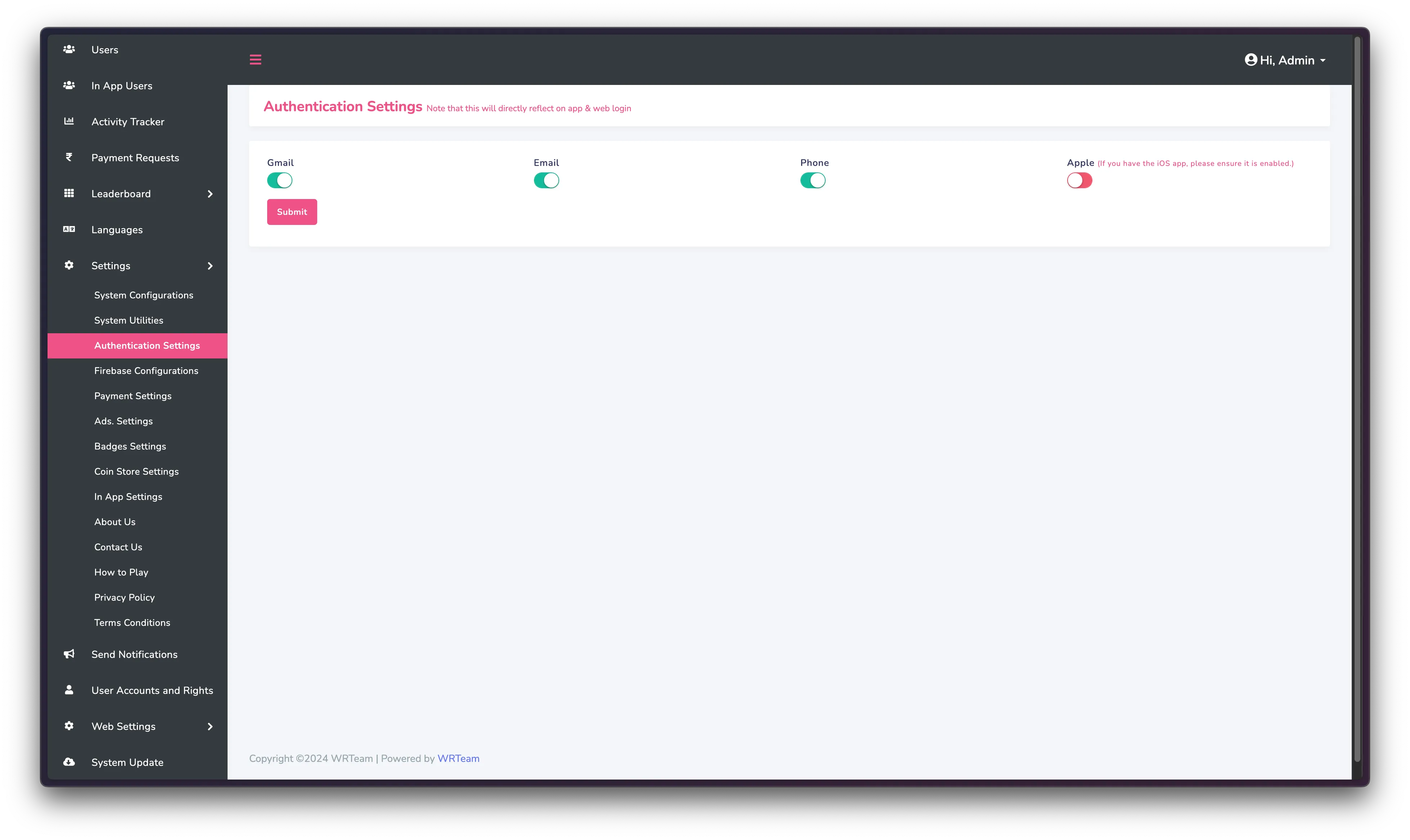
You can toggle authentication methods from admin panel now. Go to Settings -> Authentication Settings
Authentication Methods should be enabled in both Panel and the firebase to work properly.
- Go to your firebase project
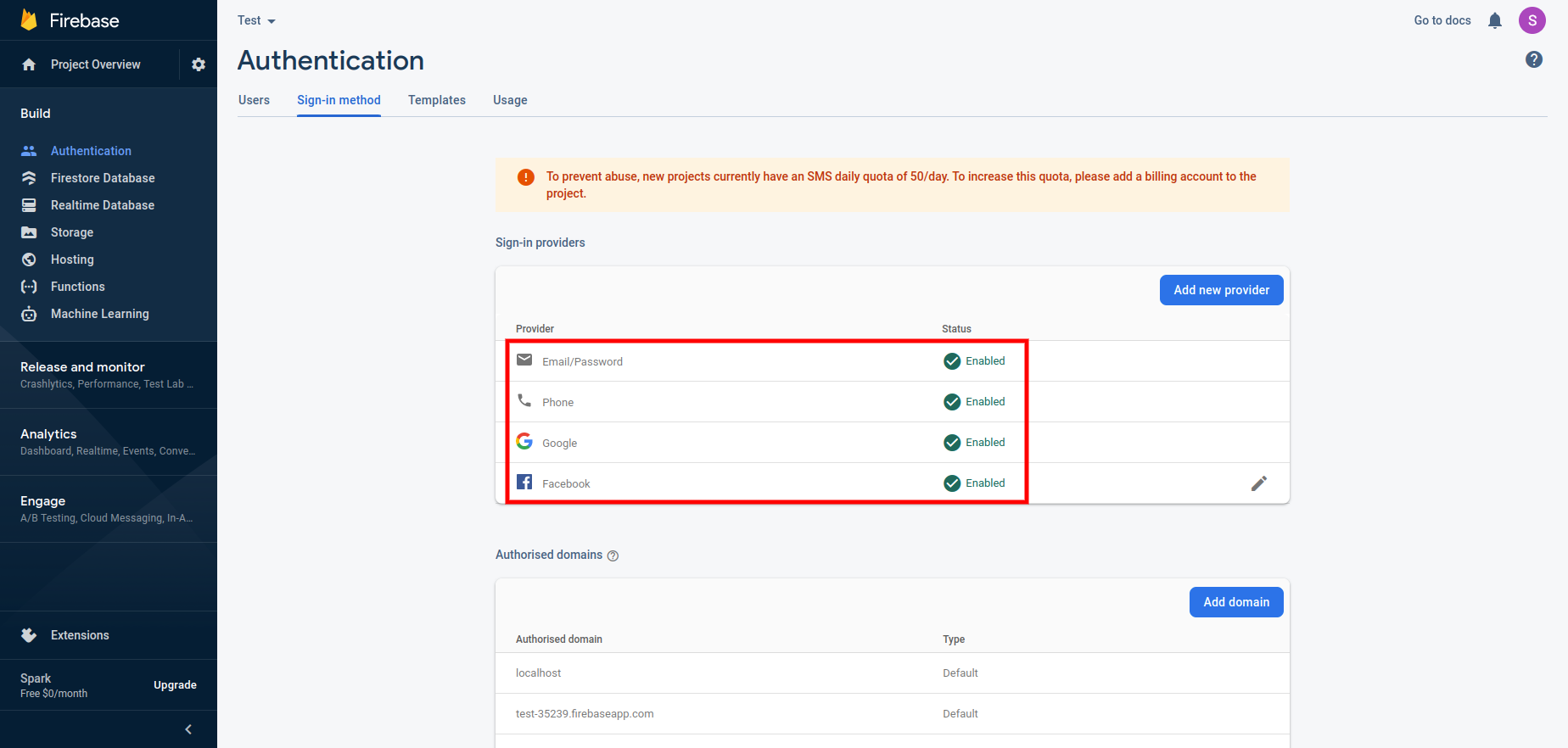
- Click on Authentication menu and go to sign-in method
- Enable all the authentication methods shown in the image below:
-
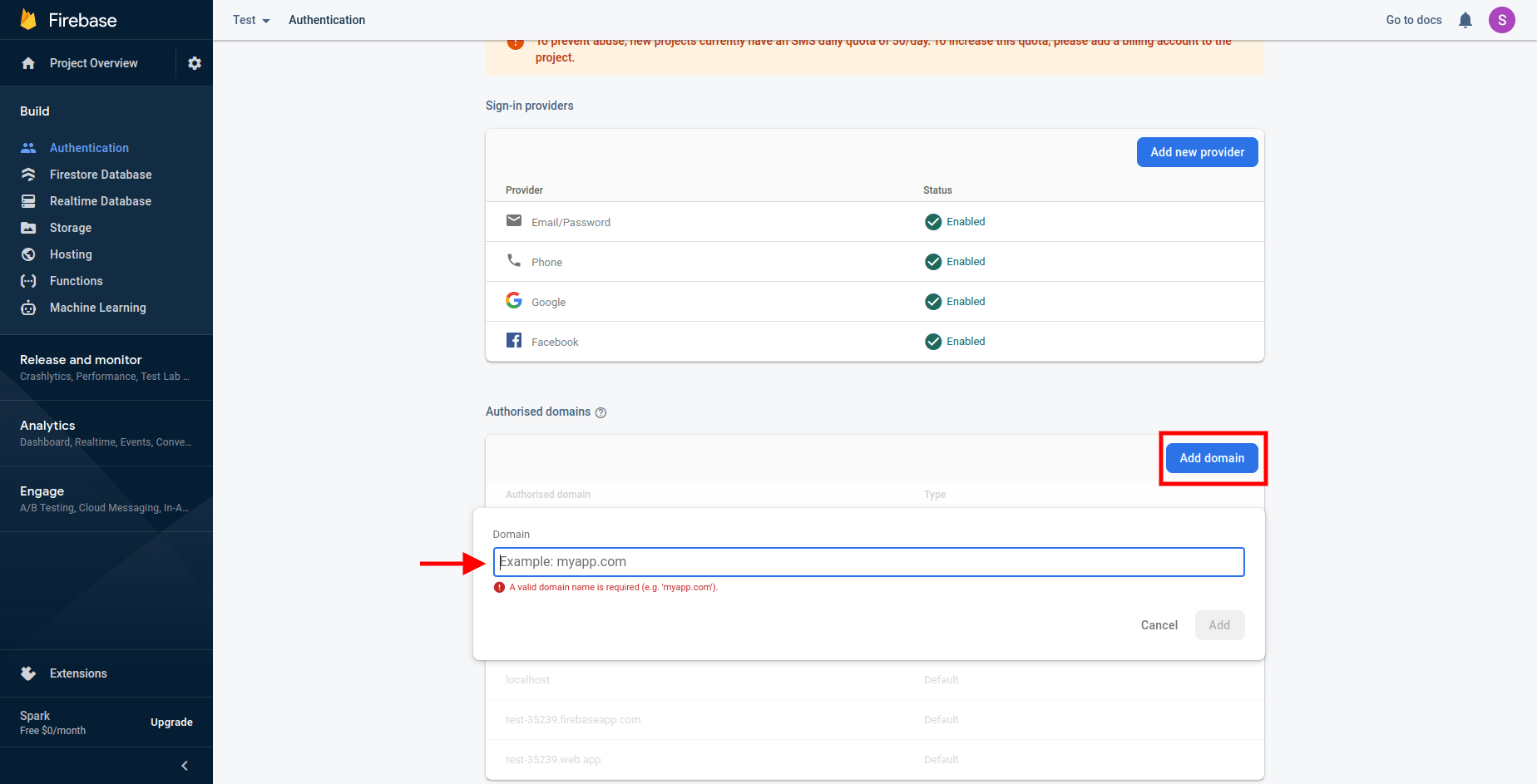
After that add your domain name without https:// OR http:// e.g elitequiz.wrteam.in
-
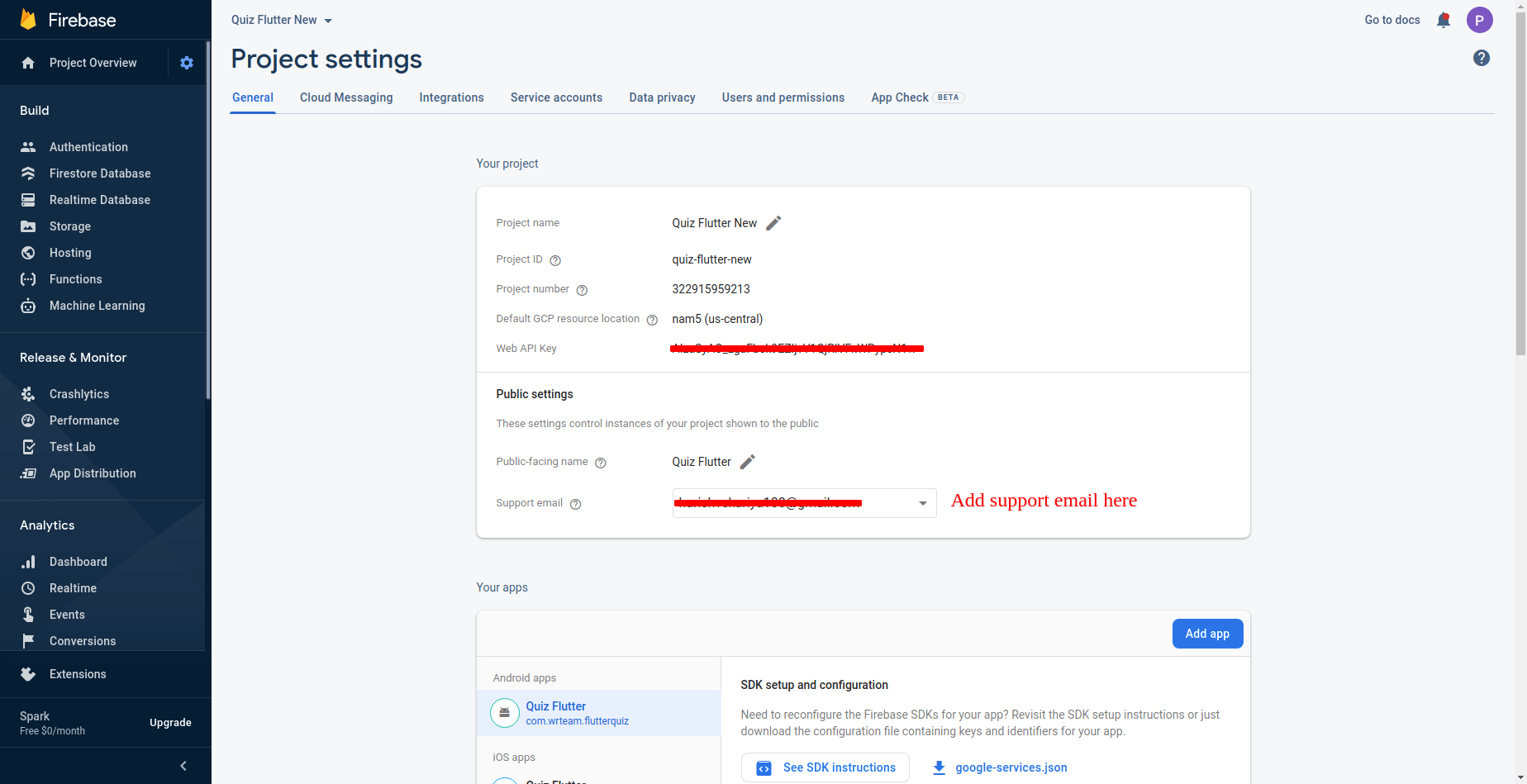
Please add support email as shown in below image. Go to project settings -> general -> public settings
Supported Authentication Methods
Elite Quiz supports multiple authentication methods:
- Email/Password
- Google Sign-In
- Facebook Login
- Apple ID
- Phone Number
Troubleshooting Authentication Issues
If users are having trouble logging in, check the following:
- Ensure the authentication methods are enabled in both Firebase console and admin panel
- Verify Firebase configuration is correct in the app
- Check if the authorized domains are properly configured in Firebase
- Look for any errors in the browser console